Android Shorts
Custom lint rules

Was trying to create a silly custom lint rule the other day.
Of course, I played around with https://github.com/googlesamples/android-custom-lint-rules (monkey-see-monkey-do).
I was under the impression that for editor highlighting to start working, I only had to build the app. (oh boy)
When I did manage to make it show up, I had issues editing, deleting or even adding more rules.
So, without further ado..
It’s not enough just writing a custom lint rule#
Rule here.
As evidenced, no highlighting:
class Test {
    // We have a custom lint check bundled with :library
    // that this module depends on. The lint check looks
    // for mentions of "lint", which should trigger an
    // error
    val s = "lint"

    fun lint() { }
}
Run the lint check in Android Studio:
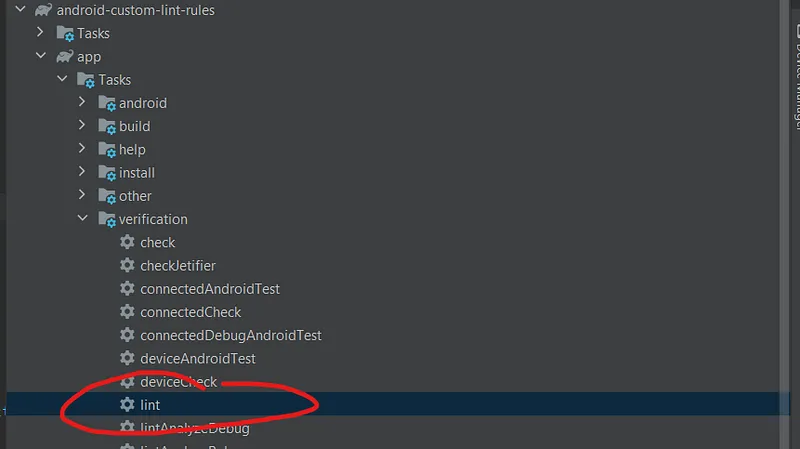
Voila!
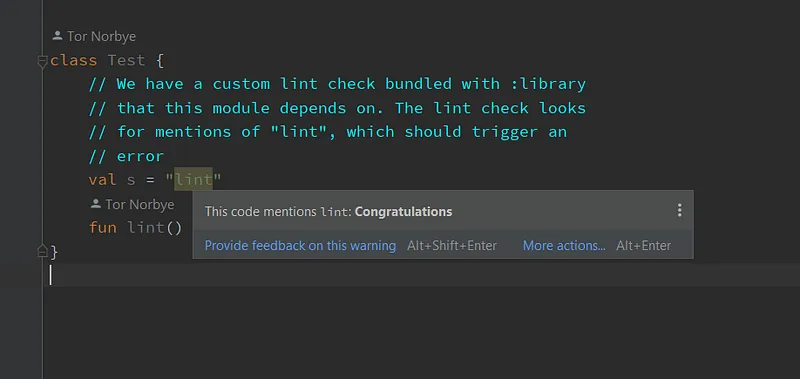
Editing rules#
Alter this rule to check for hello .
return object : UElementHandler() {
    override fun visitLiteralExpression(node: ULiteralExpression) {
        val string = node.evaluateString() ?: return
        if (string.contains("hello") && string.matches(Regex(".*\\bhello\\b.*"))) {
            context.report(
                ISSUE, node, context.getLocation(node),
                "This code mentions `hello`: **Congratulations**"
            )
        }
    }
}The string literal that contains the word lint is still highlighted even after building because we need to…
Run lint again#
This pops up 🫠:
C:\code\android-custom-lint-rules\library\build\intermediates\lint_publish_jar\global\lint.jar: The process cannot access the file because it is being used by another process.Let’s have a look what is this even and why would it complain:
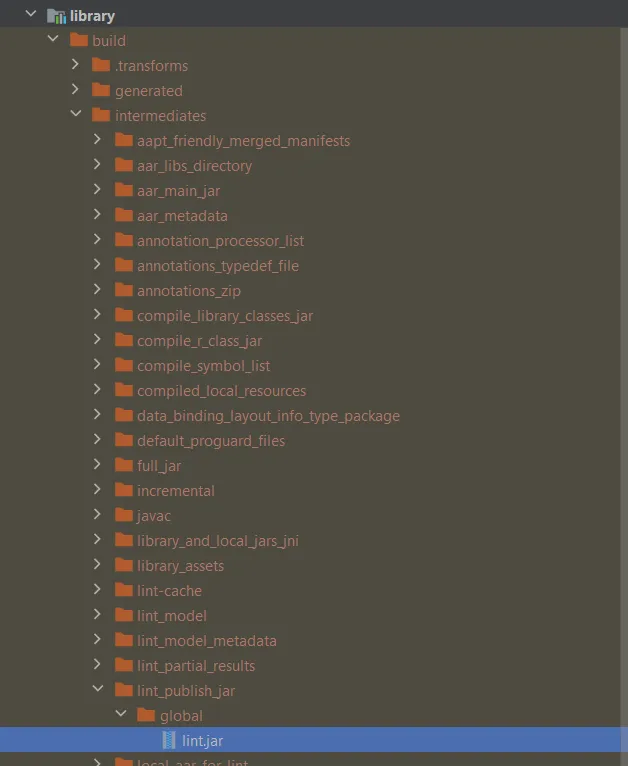
..okay?#
I am not a smart man but I am going to assume something like this happens:
lintcommand does stuff on first run.- At the end, this
lint.jarfile is placed into thebuildfolder. - Once in there, this file is actively “watched” by Android Studio/some java process. That’s how we get highlighting in editor.
- Trying to replace the
lint.jarby re-runninglintwill meet resistance. It’s busy being actively used.
Exit Android Studio#
Open the build folder in explorer and delete all files in it.
Now re-open AS. The highlighting should be gone.
Run lint again.
hello is highlighted:
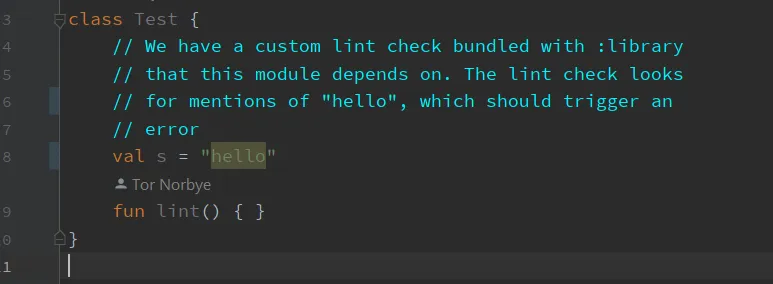
Considerations#
Few things that are nagging me after messing with this for about an hour:
- Should this
lint.jarfile be included in a project’s repository? (I couldn’t find any way to make this work outside thebuildfolder) - Do we have to do the delete/replace dance everytime there is a change? (how many times is a lint rule going to change anyway 😅)
- Hook
lintin the normal build task via gradle? (not a good idea)
But also positives:
- Everyone can see the rules in the project. Easily accessible.
- Anything CI related.
Bundling lint rules in a separate library#
Timber is a classic example of shipping lint rules with a library.
- The rules are built and packaged in the library as part of the publishing process. (you can explore inside the timber aar file and have a look)
- The consumers don’t have to take any action just to see highlighting in the editor.
But!
- Flexibility is lost due to using an external library that is not in the main project.
Anyways#
Hope you found this somewhat useful.
All credit goes to https://github.com/googlesamples/android-custom-lint-rules.