Retrofit review : The sequel

This is the second mem- ehhh part in the “👏👏 Retrofit review 👏👏” series.
You can find part 1 here:
👏👏 Retrofit review 👏👏 Or how to use Kotlin + RxJava to get some cats
Source code:
CostaFot/android—retro-electro Contribute to CostaFot/android—retro-electro development by creating an account on GitHub.
Previously on Meme Review#
After copy pasting everything like any self respecting Stack Overflow user, we reached a point where everything works.. but looks kind of.. meh.
class MainActivity : AppCompatActivity() {

    // Read the docs with detailed instructions to get your API key and endpoint!
    // https://docs.thecatapi.com/

    // the server url endpoint
    private val serverUrl = "https://api.thecatapi.com/v1/"
    // this is where you declare your api key
    private val apiKey = "yourApiKeyHere"

    private val compositeDisposableOnPause = CompositeDisposable()
    private var latestCatCall: Disposable? = null

    override fun onCreate(savedInstanceState: Bundle?) {
        super.onCreate(savedInstanceState)
        setContentView(R.layout.activity_main)

        // click listener so you can perform the API call manually
        button.setOnClickListener {
            getSomeCats()
        }
    }

    // the API call
    private fun getSomeCats() {
        // initialising the repository class with the necessary information
        val catsRepository = CatsRepository(serverUrl, BuildConfig.DEBUG, apiKey)

        // stopping the last call if it's already running (optional)
        latestCatCall?.dispose()

        // perform the API call
        // asking for 10 cats. Don't care in what category so just passing null
        latestCatCall =
            catsRepository.getNumberOfRandomCats(10, null).subscribeOn(Schedulers.io())
                .doOnSubscribe {
                    compositeDisposableOnPause.add(it)
                }
                .observeOn(AndroidSchedulers.mainThread())
                .subscribe { result ->
                    when {
                        result.hasError() -> result.errorMessage?.let {
                            Toast.makeText(this@MainActivity, "Error getting cats$it", Toast.LENGTH_SHORT).show()
                        }
                            ?: run {
                                Toast.makeText(this@MainActivity, "Null error", Toast.LENGTH_SHORT).show()
                            }
                        result.hasCats() -> result.netCats?.let {
                            Toast.makeText(this@MainActivity, "Cats received!", Toast.LENGTH_SHORT).show()
                        }
                            ?: run {
                                Toast.makeText(this@MainActivity, "Null list of cats", Toast.LENGTH_SHORT).show()
                            }
                        else -> Toast.makeText(this@MainActivity, "No cats available :(", Toast.LENGTH_SHORT).show()
                    }
                }
    }

    // Killing all background threads (if any exist) cause they don't deserve to live when the activity is not running
    private fun clearAllJobsOnPause() {
        compositeDisposableOnPause.clear()
    }

    // onPause! Stop everything, the user is probably checking memes elsewhere
    override fun onPause() {
        clearAllJobsOnPause()
        super.onPause()
    }
}
Sample activity
Everything is thrown in the activity 😱!
This is the part where I should explain why this is a horrible way to write but there’s enough internet warriors out there defending good coding practices.
Let’s fix that by introducing a ViewModel.
The point of a ViewModel is that he can be paired with an activity and you can throw everything that’s not UI related to him. Tell your activity to observe whatever is interesting that the ViewModel has in it and then do your thing.
Dependencies#
Make sure to update the dependencies and give the project a sync afterwards.
apply plugin: 'com.android.application'
apply plugin: 'kotlin-android'
apply plugin: 'kotlin-android-extensions'
// need this plugin to make this work
apply plugin: 'kotlin-kapt'

android {
   // your android stuff goes here
}

dependencies {
    // auto-generated dependencies
    implementation fileTree(dir: 'libs', include: ['*.jar'])
    implementation"org.jetbrains.kotlin:kotlin-stdlib-jdk7:$kotlin_version"
    implementation 'androidx.core:core-ktx:1.1.0-alpha04'
    testImplementation 'junit:junit:4.12'
    androidTestImplementation 'androidx.test:runner:1.1.2-alpha01'
    androidTestImplementation 'androidx.test.espresso:espresso-core:3.1.2-alpha01'

    // Google Components
    implementation 'androidx.appcompat:appcompat:1.0.2'
    implementation 'androidx.constraintlayout:constraintlayout:2.0.0-alpha3'
    implementation 'androidx.cardview:cardview:1.0.0'
    implementation 'com.google.android.material:material:1.1.0-alpha03'
    implementation 'androidx.recyclerview:recyclerview:1.0.0'
    implementation "androidx.lifecycle:lifecycle-extensions:2.0.0"

    // RX Java
    implementation 'io.reactivex.rxjava2:rxandroid:2.1.0'
    implementation 'io.reactivex.rxjava2:rxjava:2.2.2'

    // Networking
    implementation "com.squareup.retrofit2:retrofit:2.4.0"
    implementation "com.squareup.retrofit2:adapter-rxjava2:2.4.0"
    implementation "com.squareup.retrofit2:converter-gson:2.4.0"
    implementation 'com.squareup.okhttp3:logging-interceptor:3.10.0'
}
Deps
CatModel#
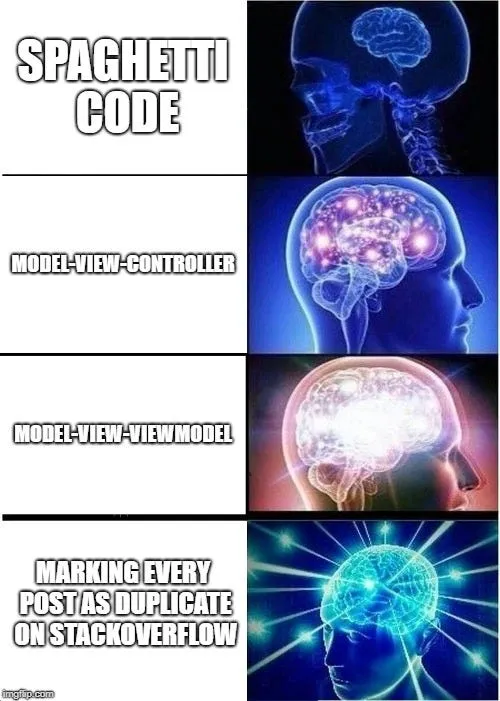
Let’s just copy pasta the main bits from MainActivity to a ViewModel since we know the code works already as it is.
class MainViewModel : ViewModel() {

    private val compositeDisposableOnDestroy = CompositeDisposable()
    private var latestCatCall: Disposable? = null
    // the list that will be observed by the activity
    val bunchOfCats = MutableLiveData<List<NetCat>>()
    // the error message observed
    val errorMessage = MutableLiveData<String>()

    // the API call
    fun getSomeCats() {
        // initialising the repository class with the necessary information
        val catsRepository = CatsRepository(serverUrl, BuildConfig.DEBUG, apiKey)

        // stopping the last call if it's already running (optional)
        latestCatCall?.dispose()

        // perform the API call
        // asking for 10 cats. Don't care in what category so just passing null
        latestCatCall =
            catsRepository.getNumberOfRandomCats(10, null).subscribeOn(Schedulers.io())
                .doOnSubscribe {
                    compositeDisposableOnDestroy.add(it)
                }
                .observeOn(AndroidSchedulers.mainThread())
                .subscribe { result ->
                    when {
                        result.hasError() -> result.errorMessage?.let {
                            // anyone who observes this will be notified of the change automatically
                            errorMessage.postValue("Error getting cats $it")
                        }
                            ?: run {
                                // anyone who observes this will be notified of the change automatically
                                errorMessage.postValue("Null error :(")
                            }
                        result.hasCats() -> result.netCats?.let {
                            // anyone who observes this will be notified of the change automatically
                            bunchOfCats.postValue(it)
                            // clearing the error if it existed (hacky and optional)
                            errorMessage.postValue("")
                        }
                            ?: run {
                                // anyone who observes this will be notified of the change automatically
                                errorMessage.postValue("Null list of cats :(")
                            }
                        else -> {
                            // anyone who observes this will be notified of the change automatically
                            errorMessage.postValue("No cats available :(")
                        }
                    }
                }
    }

    // clearing the collection of disposables = no memory leaks no matter what
    override fun onCleared() {
        compositeDisposableOnDestroy.clear()
        Log.d("TAG", "Clearing ViewModel")
        super.onCleared()
    }
}
CatModel!
The main difference is the MutableLiveData variables and the postValue method associated with them.
Only thing missing is changing the MainActivity to work with MainViewModel.
class MainActivity : AppCompatActivity() {

    // Read the docs with detailed instructions to get your API key and endpoint!
    // https://docs.thecatapi.com/

    // public static fields in a companion object because im a horrible person
    companion object {
        // the server url endpoint
        const val serverUrl = "https://api.thecatapi.com/v1/"
        // this is where you declare your api key
        const val apiKey = "yourApiKeyHere"
    }

    private lateinit var viewModel: MainViewModel

    override fun onCreate(savedInstanceState: Bundle?) {
        super.onCreate(savedInstanceState)
        setContentView(R.layout.activity_main)

        // setting up viewModel
        viewModel = ViewModelProviders.of(this).get(MainViewModel::class.java)

        // observing the stuff we are interested about.
        // any change observed will run the corresponding method
        viewModel.bunchOfCats.observe(this, Observer { onResult(it) })
        viewModel.errorMessage.observe(this, Observer { onError(it) })

        // click listener so you can perform the API call manually
        button.setOnClickListener {
            viewModel.getSomeCats()
        }
    }

    /**
     * Method triggered when we observe a change in MainViewModel.bunchOfCats MutableLiveData
     * @param bunchOfCats An updated list of cats we got from the API
     */
    private fun onResult(bunchOfCats: List<NetCat>) {

        // Not doing anything yet with this list except a toast
        Toast.makeText(this@MainActivity, "Got ${bunchOfCats.size} cats", Toast.LENGTH_SHORT).show()
    }

    /**
     * Method triggered when we observe a change in MainViewModel.errorMessage MutableLiveData
     * @param error Error message describing what went wrong
     */
    private fun onError(error: String) {
        // a simple toast in case things went wrong
        error.let {
            if (!it.isBlank()) {
                Toast.makeText(this@MainActivity, error, Toast.LENGTH_SHORT).show()
            }

        }
    }

}
Cat activity
Wew lad#
Give it a run and tap the button. There should still be a toast popping up telling you what happened (good or bad).
The MainViewModel guy is responsible for the grunt work while the MainActivity is responsible for watching, which come to think of it, is a strange metaphor for most software jobs out there.
Stay tuned for the next part where we will finally(!) do something with this list and show these pussycats on the screen with a classic RecycleView and Glide (for image loading).

smash like and subscribe guys new memes every friday