Using Android RecyclerView in 2019

This is a kind-of a sequel of the “Android RxJava in 5 minutes” article I wrote a while back and has stuff that you might find useful for this one.
You can find it here:
Android RxJava in 5 minutes These go(o)gles do noffing!
Research says that 50% of what you need to know as an android dev is displaying a list of something on the screen. In the olden days populating that list and updating it was just meh.
In comes ViewModel + DiffUtil, Google’s kind of successful effort trying to fix the mess that Android is.
So that’s what we gonna do I guess.
Source code in 3 simple files can be found here:
CostaFot/android—rx—project Contribute to CostaFot/android—rx—project development by creating an account on GitHub.
What you will need#
Just click File -> New project in Android Studio 3 and include Kotlin support, Android X artifacts and an empty activity pre-made. Press next on everything. Jetbrains really understands its market (monkeys banging the keyboard like me) and basically writes everything for you these days.
Let the thing finish building.
Dependencies#
Go to the build.gradle (Module: app) file in the dependencies block. It should have these lines in it at least:
implementation "org.jetbrains.kotlin:kotlin-stdlib-jdk8:$kotlin_version"

// Google Components
implementation 'androidx.appcompat:appcompat:1.0.2'
implementation 'androidx.constraintlayout:constraintlayout:2.0.0-alpha3'
implementation 'androidx.cardview:cardview:1.0.0'
implementation 'com.google.android.material:material:1.1.0-alpha03'
implementation 'androidx.recyclerview:recyclerview:1.0.0'
implementation "androidx.lifecycle:lifecycle-extensions:2.0.0"

// RX Java
implementation 'io.reactivex.rxjava2:rxandroid:2.1.0'
implementation 'io.reactivex.rxjava2:rxjava:2.2.2'
implementation 'com.jakewharton.rxbinding3:rxbinding-material:3.0.0-alpha2'
The adapter#
Getting an adapter working with DiffUtil will spare you from manually updating the recyclerview. There’s a bunch of ways to do this but we are gonna go for the easiest one to read since this is the whole point of this.
class AdapterString : ListAdapter<String, AdapterString.ItemViewHolder>(DiffCallback()) {

    override fun onCreateViewHolder(parent: ViewGroup, viewType: Int): ItemViewHolder {
        return ItemViewHolder(
            LayoutInflater.from(parent.context)
                .inflate(R.layout.row_item, parent, false)
        )
    }

    override fun onBindViewHolder(holder: AdapterString.ItemViewHolder, position: Int) {
        holder.bind(getItem(position))
    }

    class ItemViewHolder(itemView: View) : RecyclerView.ViewHolder(itemView) {

        fun bind(item: String) = with(itemView) {
            itemView.textView.text = item
        }
    }
}

class DiffCallback : DiffUtil.ItemCallback<String>() {
    override fun areItemsTheSame(oldItem: String, newItem: String): Boolean {
        return oldItem == newItem
    }

    override fun areContentsTheSame(oldItem: String, newItem: String): Boolean {
        return oldItem == newItem
    }
}
It’s just your run of the mill adapter for a list of strings. The two overridden methods in DiffCallback : DiffUtil.ItemCallback
The row_item.xml can have anything you want. Just need a textView in there anyway.
The chad ViewModel#
Gone are the days of the nightmare that was MVC.
The point of a ViewModel is that he can be paired with an activity and you can throw everything that’s not UI related to him. Tell your activity to observe whatever is interesting that the ViewModel has in it and then act accordingly.
class MainViewModel : ViewModel() {

    private val compositeDisposableOnDestroy = CompositeDisposable()
    private var latestOperation: Disposable? = null
    val bunchOfStringsThatAreObservedByActivity = MutableLiveData<List<String>>()
    val errorObservedByActivityInCaseThingsGoWrong = MutableLiveData<String>()

}
Declaration time. The naming convention is taken to the extreme for simplicity.
inner class Result(val listOfStrings: List<String>? = null, val errorMessage: String? = null) {

    fun hasSucceeded(): Boolean {
        return listOfStrings != null && !listOfStrings.isEmpty()
    }

    fun hasError(): Boolean {
        return errorMessage != null
    }
}
Get this guy in the ViewModel too. He will act as a container for the result of our business logic-madness.
// self-explanatory
private fun generateARandomListOfStrings(): List<String> {
    val mutableList = mutableListOf<String>()
    for (i in 0 until 10) {
        val randomString = generateRandomString(Random.Default, "abcdefg", 5)

        mutableList.add(randomString)
    }

    return mutableList
}

// a method that can be found on StackOverflow. It's just a silly string generator
private fun generateRandomString(rng: Random, characters: String, length: Int): String {
    val text = CharArray(length)
    for (i in 0 until length) {
        text[i] = characters[rng.nextInt(characters.length)]
    }
    return String(text)
}
A bunch of methods to generate a random list of strings. This is stuff that you normally stumble upon in the first results when googling. They serve their purpose and they are not the point of this anyway.
// an operation that doesn't have anything to do with the UI should be performed in a background thread
private fun getSomeStringsOnAnotherThread(): Single<Result> {

    return Single.fromCallable { generateARandomListOfStrings() }
        .map { resultingList -> Result(listOfStrings = resultingList) }
        .onErrorReturn { t: Throwable -> Result(errorMessage = t.message) }
}
RxJava standard stuff. Generate a list of strings. Convert it into a Result object. We’ll check later if things went well or not.
The activity#
Since you already have a blank MainActivity, you should get a layout of some sort to host a button and a recyclerView.
Here’s something very sophisticated:
<?xml version="1.0" encoding="utf-8"?>
<androidx.constraintlayout.widget.ConstraintLayout xmlns:android="http://schemas.android.com/apk/res/android"
    xmlns:app="http://schemas.android.com/apk/res-auto"
    xmlns:tools="http://schemas.android.com/tools"
    android:layout_width="match_parent"
    android:layout_height="match_parent"
    tools:context=".MainActivity">

    <Button
        android:id="@+id/button"
        android:layout_width="wrap_content"
        android:layout_height="wrap_content"
        android:layout_marginStart="8dp"
        android:layout_marginTop="8dp"
        android:layout_marginEnd="8dp"
        android:text="REFRESH!"
        app:layout_constraintEnd_toEndOf="parent"
        app:layout_constraintStart_toStartOf="parent"
        app:layout_constraintTop_toTopOf="parent" />

    <androidx.recyclerview.widget.RecyclerView
        android:id="@+id/recycleView"
        android:layout_width="0dp"
        android:layout_height="0dp"
        android:layout_marginStart="8dp"
        android:layout_marginTop="8dp"
        android:layout_marginEnd="8dp"
        android:layout_marginBottom="8dp"
        app:layout_constraintBottom_toBottomOf="parent"
        app:layout_constraintEnd_toEndOf="parent"
        app:layout_constraintStart_toStartOf="parent"
        app:layout_constraintTop_toBottomOf="@+id/button" />

</androidx.constraintlayout.widget.ConstraintLayout>
We got the ViewModel and an adapter. Might as well get an activity to house these guys so they don’t live in the streets.
private lateinit var adapter: AdapterString
private lateinit var viewModel: MainViewModel

override fun onCreate(savedInstanceState: Bundle?) {
    super.onCreate(savedInstanceState)
    setContentView(R.layout.activity_main)

    // making an instance of our adapter
    adapter = AdapterString()

    // setting up viewModel
    viewModel = ViewModelProviders.of(this).get(MainViewModel::class.java)

    // observing the stuff we are interested about.
    // any change observed will run the corresponding method
    viewModel.bunchOfStringsThatAreObservedByActivity.observe(this, Observer { onResult(it) })
    viewModel.errorObservedByActivityInCaseThingsGoWrong.observe(this, Observer { onError(it) })

    // I like this one generally. Looks good in Landscape mode
    if (resources.configuration.orientation == Configuration.ORIENTATION_LANDSCAPE) {
        recycleView.layoutManager = GridLayoutManager(this, 2)
    } else {
        recycleView.layoutManager = GridLayoutManager(this, 1)
    }
    recycleView.adapter = adapter

    // here's where we update the list with random stuff
    button.setOnClickListener {
        viewModel.updateTheList()
    }
}
Set everything up as shown. The activity will begin observing both the list of strings and the error message string that was setup in the ViewModel.
Any changes in those sent via the postValue (LiveData specific) method will go straight in these two methods:
private fun onResult(bunchOfStrings: List<String>) {

    // do this when a new list comes in
    // DiffUtil will do the work for us
    adapter.submitList(bunchOfStrings)

}

private fun onError(error: String) {
    // a simple toast in case things went wrong
    error.let {
        if (!it.isBlank()) {
            Toast.makeText(this@MainActivity, error, Toast.LENGTH_SHORT).show()
        }
    }
}
You might have noticed a button with a click listener triggering a method in the ViewModel. That’s where the list of strings in the ViewModel will be generated and updated with a postValue method.
Let’s check it out (the comments should provide adequate explanation) :
// Using RxJava2
// an operation like this will only take a few milli-seconds to complete
// what if it was an API call that took 15 seconds though?
// good habits are reinforced by doing simple things properly then copying along for more complicated operations
fun updateTheList() {

    // stopping the previous operation if it was still going (optional)
    latestOperation?.dispose()

    // typical RxJava stuff, check my "Android RxJava in 5 minutes" to learn how this works
    latestOperation = getSomeStringsOnAnotherThread().subscribeOn(Schedulers.io())
        .doOnSubscribe {
            compositeDisposableOnDestroy.add(it)
        }
        .observeOn(AndroidSchedulers.mainThread())
        .subscribe { result ->
            if (result.hasError()) {
                result.errorMessage?.let {
                    bunchOfStringsThatAreObservedByActivity.postValue(emptyList())
                    errorObservedByActivityInCaseThingsGoWrong.postValue(it)
                }
                    ?: run {
                        bunchOfStringsThatAreObservedByActivity.postValue(emptyList())
                        errorObservedByActivityInCaseThingsGoWrong.postValue("Null error")
                    }
            } else if (result.hasSucceeded()) {
                result.listOfStrings?.let {
                    bunchOfStringsThatAreObservedByActivity.postValue(it)
                    errorObservedByActivityInCaseThingsGoWrong.postValue("")
                }
                    ?: run {
                        bunchOfStringsThatAreObservedByActivity.postValue(emptyList())
                        errorObservedByActivityInCaseThingsGoWrong.postValue("Null list???")
                    }
            }
        }
}
Someone might say that this section is really verbose and long-winded.
Always code as if the guy who ends up maintaining your code will be a violent psychopath who knows where you live.
The result will have an error if the method to generate the list failed somewhere. This is a classic case when copying things from your google searches and you are not 100% sure how they work.
The result will have succeeded if the list is not null and not empty. That means the random guy on StackOverflow was right.
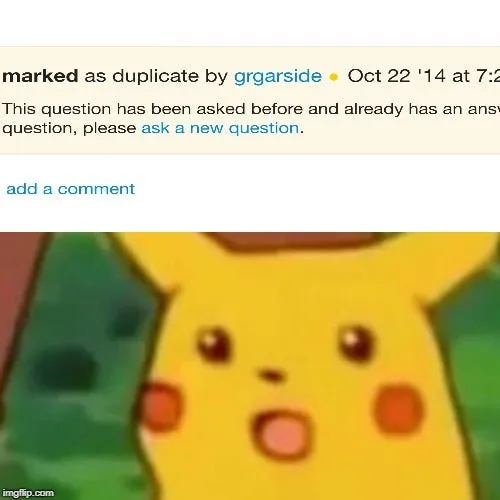
Now your question will probably be marked as duplicate and down-voted to oblivion.
It wouldn’t be a ViewModel if the onCleared() method was missing. This method is called when the activity who houses it is destroyed for good. We better clean up after ourselves at that point or else you are risking memory leaks.
A good rule of a thumb is that when are you are doing any asynchronous operations in Android then you should always account for the life-cycle of your activity/fragment/whatever.
// clearing the collection of disposables = no memory leaks no matter what
override fun onCleared() {
    compositeDisposableOnDestroy.clear()
    Log.d("TAG", "Clearing ViewModel")
    super.onCleared()
}
Wew lad#
Give this a run and tap the button. The recyclerView should be updated straight away (with default animations too!).
The list itself is a bunch of jibberish and the method that was used to generate it really makes little sense. The difference between the lists is almost guaranteed to be 100% every time as this is truly a random generation of words.
No matter what happens, be it no changes or only 1 item, DiffUtil will do the necessary amount of work and you can avoid calling the dreaded notifyDataSetChanged / notifyItemChanged / etc adapter methods.

noice one mate
Follow me on Twitter cause my cat ignores me
Costa (@markasduplicate) | Twitter The latest Tweets from Costa (@markasduplicate). Marked as duplicate. UK